Apple Releases macOS 10.14.6, iOS 12.4, watchOS 5.3, tvOS 12.4
macOS 10.14.6 Mojave
Download Combo Update → https://support.apple.com/kb/DL2010
iOS & WatchOS
Update within
Download Combo Update → https://support.apple.com/kb/DL2010
Update within
macOS 10.14.5 Combo Update Download → https://support.apple.com/kb/DL2000
Don’t forget to read “macOS Update, The Safer Way”
Also update your iSO, watchOS and tvOS from your devices
Make sure to update with Combo Update
Download → https://support.apple.com/kb/DL1996
macOS 10.14.3 Combo Update: https://support.apple.com/kb/DL1992
Group FaceTime and 70+ more new Emoji
Download→ https://support.apple.com/kb/DL1981

Since 1997, Mac OS has had a password management system called Keychain. It can manage many daily password usages such as WiFi router password, website access passwords via Safari, network disk access password to name a few. When you access these as the first time, it will ask the user to store:

If you use iCloud sync, these passwords will be synced to iPhone and iPad, which makes the life much easier. It is well encrypted and highly recommended.

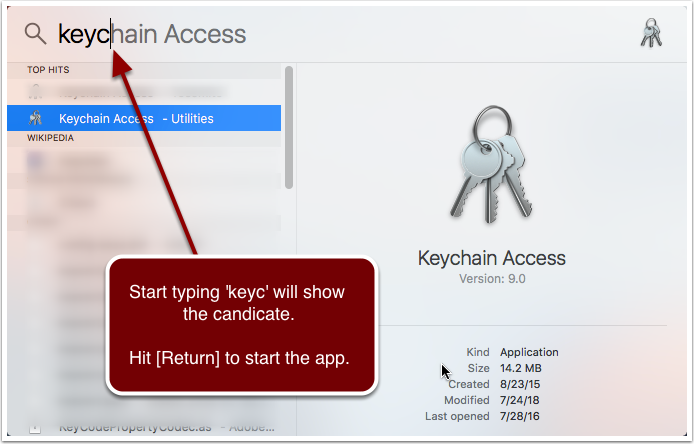
In this example, we will recover email account password. If you use Apple Mail to read/write email messages, its account password is saved in Keychain. Time to time you might need to access emails using a web browser (i.e., to delete offensive malware which Apple Mail refused to download), while you don’t remember the password, here are the steps to dig the password from Keychain.



This is an important security update. Make sure to use Combo Update.
Download macOS10.13.5 Combo Update from Apple
About Combo Update
This is an important security update. Make sure to use Combo Update.
Download macOS10.13.4 Combo Update from Apple
About Combo Update
This is an important security update. Make sure to use Combo Update.
Download
https://support.apple.com/kb/DL1944
About Combo Update
This is a critical info: https://support.apple.com/en-us/HT208315